
Disaster Recovery Solution: Keep Your Business Running Smoothly
Nfina is dedicated to selling our products and services through our channel partners.
We white label our services for our resellers.
• Nfina / Veeam® Cloud Connect Backup and Disaster Recovery
• Nfina Cloud Storage
• Nfina-View™ Cloud Management Software
• Immutable Snapshots
• Ransomware Protection
Check out our Backup and Disaster Recovery solutions below or schedule a conversation
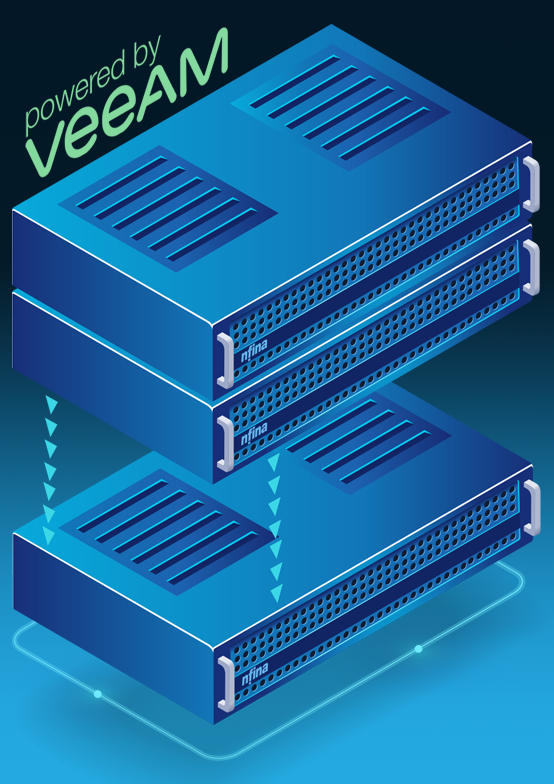
Nfina / Veeam Cloud Connect Backup and Disaster Recovery Solutions
Nfina / Veeam Cloud Connect offers a seamless and efficient solution for backing up your data, regardless of its location. Whether your data is stored on a physical server, in a virtual environment, on a local NAS, in the cloud, or a SaaS application, Nfina / Veeam Cloud Connect provides a reliable way to ensure that your backups are secure and easily accessible.

Unlock the Power of Fault Tolerant Cloud Storage for Your Business with Nfina
Nfina’s Redundant Cloud Storage Solution Eliminates Single Points of Failure
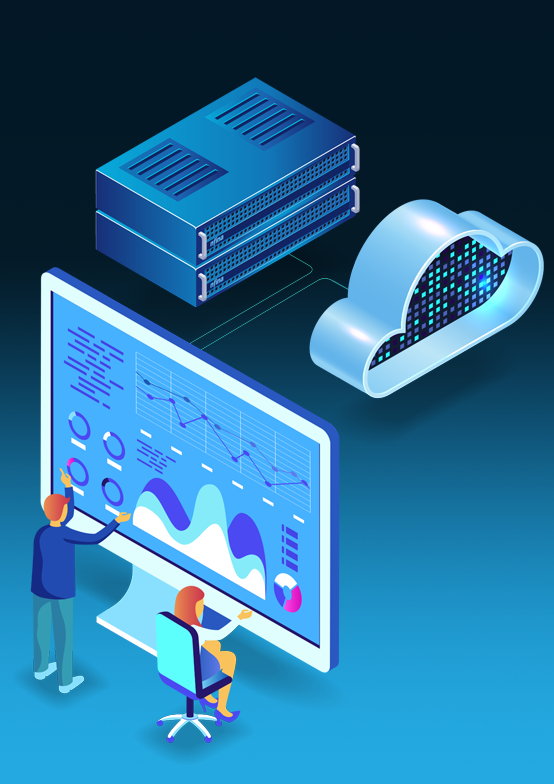
Streamline Your IT Ecosystem with Nfina-View™ Cloud Management Software
Effortlessly Monitor and Manage Your On-Prem and Cloud Infrastructure with Nfina-View Dashboard
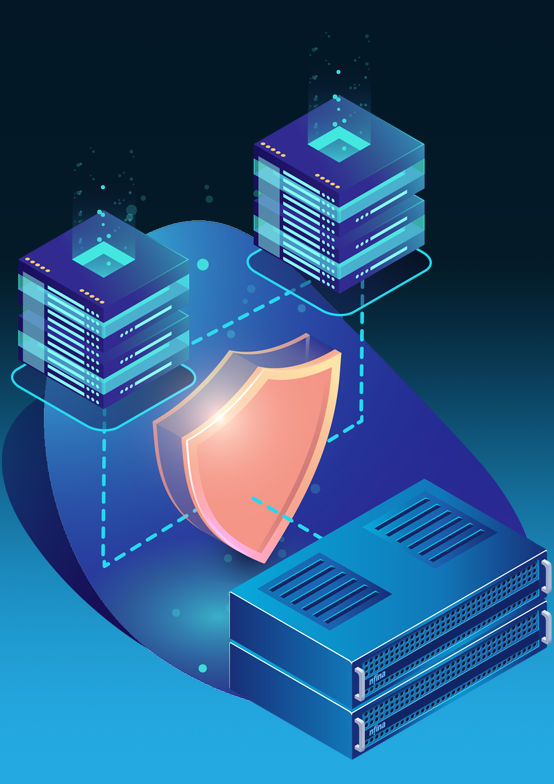
Protect Your Data Against Ransomware with Immutable Snapshots
The Importance of Rolling Back to Uncorrupted Data Using Immutable Snapshots
How Reliable Backups can Save Your Organization from a Ransomware Nightmare
Protect Your Data, Anywhere and Everywhere – Nfina’s Backup and Disaster Recovery Solutions
Understanding the Importance of Backup and DR
Nfina systems are specifically engineered to enhance efficiency and boost productivity by streamlining workflows and optimizing performance. One of the key features that sets Nfina systems apart is our advanced data protection capabilities, particularly in terms of backup and disaster recovery solutions. Our integrated storage technologies, including block, file, and object-based storage, work seamlessly together to provide businesses with a comprehensive backup system that ensures their critical data is always secure and accessible. With automated backup processes in place, businesses can rest assured knowing that their valuable information is consistently protected from any potential threats or disasters. This level of advanced data protection not only safeguards against loss but also enables businesses to confidently focus on driving growth and innovation without worrying about the security of their data.
Every organization should document a data backup and disaster recovery plan that identifies critical systems, establishes backup schedules, assigns recovery responsibilities, and defines the procedures required to restore operations after an outage.
Businesses of all sizes understand the critical importance of backup in safeguarding their valuable data from a multitude of threats. Backup is an essential aspect of data management, serving as a safety net in the event of unforeseen circumstances. By creating duplicate copies of important files and databases, organizations can ensure that their valuable information remains intact even if primary systems suffer from equipment failure or catastrophic events. The process of backing up data involves transferring critical information to a secondary location, providing added security and peace of mind for businesses. Backups play a crucial role in capturing and synchronizing a point-in-time snapshot of data, allowing for its seamless restoration to its previous state if needed. This proactive approach not only helps organizations maintain business continuity but also instills confidence in their ability to effectively respond to any unexpected challenges that may arise. Without proper backups in place, the risk of losing vital data increases significantly, potentially leading to severe consequences for operations and productivity. With backups serving as a reliable insurance policy for organizational data assets, businesses can rest assured knowing that they are well-equipped to navigate through any potential disruptions with minimal impact on operations.
A complete approach to disaster recovery in the cloud combines secure backup copies with replication, failover, failback, infrastructure monitoring, and documented recovery procedures designed to reduce downtime.
Five DR Solution Types
Disaster Recovery for Data Centers
Disaster Recovery (DR) for data centers is about making sure critical information and programs are stored at an easily reachable location if the data center is unreachable for any reason. This is mainly used for really big disasters, such as a natural disaster or a major power cut. Data center disaster recovery solutions must offer real-time data replication and redundant infrastructure as top criteria.
Network Disaster Recovery
Network DR deals with the restoration of connectivity and the systems that tie the various components of a network post a disaster. This could mean having backup circuits or different routing systems to maintain connection through an emergency. Organizations looking to integrate a network disaster recovery solution should research automated failover and load balance capabilities, as well as multi-network support.
Virtualized Disaster Recovery
When a business uses virtualization technology to replicate critical systems and applications, it streamlines disaster recovery processes making it more effective and quicker to react to system failures. This approach is quicker at restoring business operations to normal as it takes less time to recover from system failures compared to using a physical back-up server. Characteristics to consider for a disaster recovery solution that uses virtualization technology are manageability, scalability, and compatibility with existing systems.
Cloud Disaster Recovery
Having copies of critical information and software in the cloud means that it can be accessed anytime and anywhere. Because of this, companies will never need to be concerned with the backups made on physical hardware or on off-site locations. Understanding security protocols, service level agreements (SLAs), and reasonable pricing will cover the essentials in evaluating cloud-based disaster recovery solutions.
Integrating backups with cloud disaster recovery gives organizations access to geographically separate infrastructure that can support data restoration, application recovery, and continued operations when the primary environment becomes unavailable.
Disaster Recovery as a Service (DRaaS)
Disaster Recovery as a Service (DRaaS) is a cloud-based disaster recovery service that goes a step further by providing fully managed services, including automated setup, testing, and activation in the case of a disaster. This means a company can fully concentrate on the other components of their business and leave all the disaster recovery details to the provider. When seeking a vendor regarding DRaaS, companies will need to think about their protection of information, defined recovery time objectives (RTOs), and whether the service will include disaster recovery testing.

Data Encryption is one of the most fundamental components of data protection, especially in today’s digital age where cyber threats are rampant. Nfina storage systems offer built-in encryption features that provide an extra layer of security to protect against unauthorized access. This is particularly vital for industries like finance and healthcare, where confidentiality is paramount. With our backup and disaster recovery services, businesses can encrypt their entire dataset or specific files and folders using advanced algorithms such as AES 256-bit encryption. By doing so, even if someone manages to gain access to the physical drives or network infrastructure, they will be unable to decipher the encrypted data without the decryption key. Data encryption plays a critical role in safeguarding valuable information and maintaining the trust of customers and clients who rely on companies to keep their data secure.

Data Replication plays an integral role in today’s fast-paced business environment where downtime can lead to significant financial losses. Nfina’s unified storage solutions offer high availability through synchronous and asynchronous replication options, ensuring continuous access to critical business information even during system failures. Synchronous replication guarantees zero data loss by creating an exact replica of the primary data on a secondary system in real-time. This means that in the event of a failure, organizations can seamlessly switch to the replicated data without any interruption or loss of information. On the other hand, asynchronous replication replicates data at scheduled intervals, reducing the impact on the primary system’s performance while still providing essential backup capabilities. By implementing effective disaster recovery and backup solutions, organizations can mitigate risks associated with downtime and ensure uninterrupted access to vital business operations.

Access Control is a vital component of data security in any organization, as it helps prevent unauthorized access to sensitive information. Data breaches are often the result of insider threats or employees accessing information they shouldn’t have access to. Nfina’s solutions offer advanced access control features that allow organizations to tightly control who can view or modify critical business data. By assigning user roles and permissions, businesses can ensure that only authorized personnel have access to confidential information, reducing the risk of insider threats significantly. In addition, Nfina’s storage solutions provide auditing and logging capabilities that track all access attempts, giving businesses a comprehensive record of who accessed what data and when. This level of visibility is crucial for maintaining compliance with regulations and protecting valuable company assets from potential breaches.

Snapshot and Backup capabilities are essential components of unified storage systems, providing businesses with the peace of mind that their critical data is protected against accidental deletion or corruption. Snapshots offer point-in-time copies of data, allowing for quick recovery in the event of a data loss incident. On the other hand, backups create secondary copies of the entire dataset, ensuring that organizations have a fail-safe measure for disaster recovery purposes. By enabling regular scheduling of snapshots and backups, these unified storage solutions ensure that companies always have an up-to-date copy of their important information. This proactive approach significantly reduces the risk associated with human error or system failures, ultimately safeguarding businesses from potential data disasters.
In today’s fast-moving and constantly evolving business landscape, the importance of having a robust backup and disaster recovery services strategy cannot be overstated. With businesses operating around the clock, any downtime can result in significant financial losses and damage to reputation. The threats to business continuity are numerous and varied, ranging from malicious cyber-attacks like ransomware to more mundane but equally damaging events such as hardware failure or employee error. In addition, natural disasters such as hurricanes or earthquakes can strike at any time, further increasing the risk of disruption. It is therefore crucial for organizations to have a comprehensive backup and disaster recovery plan in place that addresses these potential risks.
Many midsize and small organizations often lack the resources and expertise needed to effectively implement robust Backup and Disaster Recovery strategies on their own. Allocating time, staff, and financial resources towards disaster recovery planning can divert attention away from other critical areas of the business that demand immediate attention. When considering different options, organizations must weigh factors such as RTO (Recovery Time Objective) and RPO (Recovery Point Objective) against cost considerations to determine the most suitable solution for their needs. This is precisely why Nfina’s Data Backup and Disaster Recovery solutions exist – they serve as a reliable partner for organizations seeking comprehensive backup services without having to bear the burden themselves.
With Nfina Backup and Disaster Recovery solutions, you can rest assured knowing that your organization will have access to cutting-edge technologies designed specifically for mitigating risks associated with data loss or system downtime. With Nfina’s comprehensive suite of backup technologies and disaster recovery software, your organization can be absolutely certain knowing that its critical data will remain secure and accessible even in the face of unforeseen disruptions.
If you’re planning infrastructure modernization or virtual machine migration for SMBs, a comprehensive backup and disaster recovery strategy should be in place before moving production workloads.
Contact us to schedule a conversation to discuss Nfina’s Backup and Disaster Recovery solutions.
FAQ
What are RPO and RTO, and how do I choose the right targets?
RPO describes the maximum acceptable amount of time the organization can lose data without significant business impact and determines the ideal time frame for data backups. For example, if an organization sets an RPO of one hour, it must backup data every hour. RTO, on the other hand, defines the acceptable amount of downtime an organization can have after a service disruption. It answers the question of how quickly an organization must go back online after a service disruption, thus tightly linked to the organization’s disaster recovery strategy. When setting RPO and RTO goals, organizations need to consider their individual operational circumstances and the comfort level associated with data and service interruptions. Some of the elements to consider in order of significance are customer expectations, statutory requirements, and outage potential on business performance. A thorough understanding of the above elements allows the organization to develop practical and effective goals focused on enhancing their resilience to unexpected events.
What is DRaaS (Disaster Recovery as a Service) and when should I use it?
Disaster Recovery as a Service (DRaaS) offers a cloud-based solution that helps businesses keep their IT infrastructure intact and recover from a disaster while continuously saving and recovering from a disaster. Using DRaaS helps businesses move their physical or virtual servers to a safe space in the cloud so that in the case of a sudden disruption, natural disasters, cyberattacks, or failing hardware, they can recover crucial applications and data in a matter of minutes. When organizations carry important systems and need strong protection but don’t have the resources for an on-site disaster recovery, they need to use DRaaS.
How often should I test failover and failback for my DR plan?
With Backup and Disaster Recovery, reviewing failover and failback procedures helps verify your organization’s response to unforeseen disruptions. Testing these procedures every six months is ideal, but doing quarterly evaluations is suggested for environments where data integrity and availability are crucial. Each test should replicate real-life conditions to evaluate the technical aspects and the personnel’s ability to carry out the recovery plan under pressure. Also, after major infrastructure updates or technological changes, a thorough test will verify that all parts interoperate smoothly.
What is an immutable backup and how does it help with ransomware recovery?
Immutable backups are a type of data storage that ensures that once information is written, it cannot be altered or deleted for a predetermined period. This characteristic plays a crucial role in Backup and Disaster Recovery strategies, especially when responding to ransomware attacks. In the event of such an attack, where malicious software encrypts files and demands payment for their release, having an immutable backup means that organizations can restore their critical data to its original state without succumbing to ransom demands. Also, Nfina’s immutability backups snapshots are typically taken at the Lun or file-share level, so you don’t have to specify which files, folders, or virtual machines you want to include.
Unlike traditional backups that may be susceptible to tampering or overwriting by cybercriminals who gain access during an intrusion, immutable backups remain secure and intact against unauthorized changes. By leveraging this technology, Nfina helps businesses not only protect themselves from the immediate fallout of ransomware but also ensure operational continuity by allowing rapid recovery processes without significant downtime or data loss.
Which DR architecture is best for me—backup only, warm standby, pilot light, or active-passive?
Understanding the nuances of each option, backup only, warm standby, pilot light, or active-passive, is essential to crafting an effective Backup and Disaster Recovery strategy. A backup-only approach may suffice for small businesses with minimal downtime tolerance since it primarily focuses on regular data backups stored offsite; however, it lacks immediate operational capacity during a disaster.
In contrast, a warm standby setup allows you to maintain a partially operational environment that can be quickly scaled up in response to failure events, providing a balance between cost and recovery speed. For those who require more resilience without the full investment of resources inherent in an active-active model, the pilot light configuration stands out by keeping critical components running at low capacity while enabling rapid scaling when necessary.
Meanwhile, an active-passive architecture ensures high availability by maintaining duplicate systems where one remains idle until needed; this offers near-instantaneous failover but comes with higher costs due to resource duplication.
How do I estimate bandwidth and storage for backup and disaster recovery solutions?
First, calculate the whole amount of data which consists of applications, databases, and file systems which need to be backed up. This will help you figure out how much storage you need. Think about the backup type and how often they need to be done. This will affect how much bandwidth will be used during the transfer and how much storage space will be used up. It’s safe to assume you will need three times the storage of your current data to store data and account for backup records retention. This includes the data which must legally be stored. Also consider the network’s available uplink speed constraints during the growth period of the network and during non-peak periods to set bandwidth limits for uploads during backups. This is to ensure uninterrupted business during backups. This is on top of considering return throttling, their location limits, and backup cloud server geography. Other elements will help within the context of Backup and Disaster Recovery to ensure an organization will meet their goals of operating and accessing info during an emergency.
How do backup and DR strategies differ for VMware, databases, and Microsoft 365?
Backups involve taking snapshots of VMs for speedy restoration in the event of an outage and may incorporate using associated tools that work with vSphere for optimized data management. But with integrity focus database backup restiction slack and uses point-in-time recovery with log shipping or replication that focus on operational consistency. Still, the backup and disaster recovery offered by Microsoft 365 remains a world apart as it relies on cloud-native architecture; organizations tend to use purpose-built SaaS third party applications to backup emails, Teams, SharePoint site data, and data subject to retention rules. Each policy represents different focuses.
What compliance and data-sovereignty requirements affect my backup/DR design?
Organizations need to manage different regulations like GDPR, HIPAA, or CCPA which laes out the requirements on how personal data should be managed, stored, and protected to uphold the rights of individuals. Hence, the need for encryption standards on data at rest and data in transit. Encryption on backups also need to comply with the regional laws on where sensitive data may be stored which may include legal implications on cross border transfer and protection measures. Certain industries like financial services and healthcare also have stringent requirements on the detail for audit trails and access controls which need to be included in very tailored Backup and DR designs that include logging of all user actions to ensure seamless audit facilitation for the regulators. Furthermore, the specific requirements of different local laws must be considered where some laws require that backups be kept within the borders of the country to protect the nation from foreign spying.